My Website Has a High Bounce Rate and Low Time-on-site, Which Agency Can Identify the Causes and Redesign It to Keep Visitors Engaged?
By Creasions | Web Design & Development, Dallas TX
A high bounce rate and low time-on-site are symptoms with multiple possible causes, and the agency you need is one that diagnoses before it designs. Agencies that propose a redesign before conducting behavioral analysis, reviewing heatmaps, scroll depth data, session recordings, and traffic source breakdowns are treating the symptom rather than the cause, which means the redesign can look better while the underlying problem persists. The right agency runs a structured diagnostic against your actual visitor data first, identifies the specific pages, traffic sources, and user behaviors driving the problem, and then builds the redesign around what the evidence shows, not around aesthetic preference or standard templates.
A bounce rate number tells you that visitors are leaving. It does not tell you why. The diagnostic work required to answer that question determines whether the redesign that follows will actually fix the problem or just produce a more attractive version of the same failure.
This guide is for business owners who are watching traffic arrive and disappear, who have been told their site has a high bounce rate or low average session duration, and who are trying to decide what to do about it. You will learn what these metrics actually measure, what the most common causes are for each, and how to evaluate whether an agency is equipped to diagnose the real problem before proposing a solution that may not address it.
What a High Bounce Rate Actually Tells You and What It Does Not
Bounce rate measures the percentage of visitors who land on a page and leave without visiting any other page on your site. A high bounce rate is often treated as definitive evidence that something is wrong. It is actually evidence that something requires investigation. The same bounce rate number can mean completely different things depending on your traffic source, your page type, and what action you are asking visitors to take. A service business blog post that gets read completely and results in a phone call generates a bounce even though it converted perfectly. A homepage with a 90 percent bounce rate from paid traffic is a genuine conversion problem.
Low time-on-site compounds the concern because it suggests visitors are not reading or engaging with your content before they leave. But average session duration also requires context. According to Nielsen Norman Group research, users typically decide within 10 to 20 seconds whether a page is worth their attention, which means a low average session duration on a poorly positioned service page is not a design problem. It is a message-to-market mismatch problem. Those two diagnoses require different fixes, and an agency that skips the diagnostic step will build you a redesign optimized for the wrong cause.
10 – 20s
time users typically spend deciding whether a page is worth reading, regardless of design quality
53%
of mobile users abandon a site that takes longer than 3 seconds to load, regardless of the quality of the content
38%
of users stop engaging with a website if the content or layout is unattractive, per UX research on first-impression credibility
The Five Root Causes of High Bounce Rate on a Business Website
Most bounce rate problems trace back to one of five root causes. They are not equally common, and they are not equally visible from analytics data alone. An experienced agency will distinguish between them before recommending a course of action. A less experienced one will redesign the site and hope the number improves.
Cause 1: Traffic and Page Mismatch
The most common and most frequently misdiagnosed cause of high bounce rate is not a bad website. It is mismatched traffic. When the people arriving on your page are not the people your page is written for, they leave immediately, regardless of how well the page is designed. This happens when paid ad targeting is too broad, when SEO has pulled in keyword traffic that does not match your actual service, or when social media posts are attracting curiosity clicks rather than buyer intent visits. The fix is a traffic and audience audit, not a redesign. Rebuilding the page before fixing the traffic source produces a better page that still bounces at the same rate.
Cause 2: Slow Page Load Speed
Page speed is a mechanical cause with a measurable threshold. Google’s Core Web Vitals research establishes that a Largest Contentful Paint (LCP) time above 2.5 seconds significantly increases the probability of a visitor leaving before the page finishes loading. For small business websites built on unoptimized WordPress themes with uncompressed images, page load times of 5 to 8 seconds on mobile are not unusual and are sufficient to explain a high bounce rate entirely. This cause is identifiable in 10 minutes with Google PageSpeed Insights and requires no redesign to diagnose. An agency that proposes a full redesign without first checking your Core Web Vitals scores is not doing the diagnostic work the problem requires.
Cause 3: Message-to-Market Mismatch Above the Fold
When the headline and opening statement on a page do not clearly answer the visitor’s arrival question, “Is this for someone like me?”, they leave within the first 20 seconds. This is a copy and positioning problem, not a design problem. It appears most frequently on homepages that open with taglines about values or company identity rather than a direct statement of what the business does, who it serves, and what outcome it delivers. A homepage that opens with “Building Futures Together Since 2011” tells a visitor nothing they can use to decide whether they are in the right place. The redesign fix for this cause is primarily a copy intervention with layout support, not a visual overhaul.
Cause 4: Poor Mobile Experience
As of 2024, mobile devices account for approximately 60 percent of global web traffic, according to Statista. A website built without genuine mobile-first design produces a broken experience for the majority of visitors, which directly drives up bounce rate and down session duration. This cause is visible in your analytics: segment your bounce rate by device type and compare mobile versus desktop. A bounce rate 25 to 30 percentage points higher on mobile than desktop is a mobile experience problem that a redesign must prioritize as its primary constraint, not treat as one consideration among many.
Cause 5: No Clear Next Step on the Page
A visitor who reads your page and does not know what to do next leaves. This is a conversion architecture problem. It occurs when pages end without a clear, specific call to action, when the only conversion option is a contact form that asks for too much information too early, or when the page provides information without creating a natural reason to move deeper into the site. A visitor who finishes reading a service page and sees no obvious path to the next relevant page or action is not disengaged. They simply have nowhere to go. This cause requires a conversion architecture review of how pages connect, not a new homepage design.
Diagnostic-First vs. Design-First: What the Difference Looks Like in Practice
The most reliable way to evaluate whether an agency will fix your bounce rate problem or merely redesign around it is to observe how they respond when you describe the problem. An agency with a diagnostic-first process asks different questions than one with a design-first process. The table below illustrates the distinction.
Evaluation Stage
Design-First Agency Response
Diagnostic-First Agency Response
First conversation
Asks about your design preferences, brand colors, and competitor sites you admire. Presents portfolio examples at the first meeting.
Asks for access to your Google Analytics or Search Console data before proposing anything. Wants to see traffic source breakdown, bounce rate by page and device, and top exit pages.
Proposal content
Includes a scope of work for a new homepage, new service pages, and a new visual identity. Bounce rate improvement is implied as an outcome of the redesign.
Includes a diagnostic phase as a separate deliverable before design begins. The scope may change after diagnosis depending on what the data shows the actual root cause to be.
Root cause identification
Attributes high bounce rate to “outdated design” or “poor user experience” without reviewing behavioral data to confirm this.
Installs or reviews heatmap and session recording data, segments bounce rate by traffic source and device type, and identifies which specific pages and entry points are driving the aggregate number before drawing any conclusions.
Redesign scope
Proposes a full site redesign regardless of whether the data supports that scope or whether a more targeted intervention would produce the same outcome.
Matches the redesign scope to the diagnosed problem. If the root cause is mobile performance on two key landing pages, the scope addresses those pages first rather than defaulting to a site-wide rebuild.
Post-launch measurement
Delivers the site and measures success by visual quality and client satisfaction. Bounce rate improvement is not tracked at the page level.
Establishes a pre-launch baseline for bounce rate, session duration, and page-level engagement by traffic source. Reviews these metrics at 60 and 90 days post-launch against the baseline to confirm the intervention produced measurable improvement.
The diagnostic-first process takes longer to start and produces a more accurate scope. Agencies with design-first processes move faster in the early stages and produce scopes that are frequently larger than the problem requires, because a full site redesign is the default answer when no diagnostic work precedes the proposal.
What a Proper Bounce Rate Diagnostic Should Include
Before any agency proposes a redesign to address a high bounce rate or low time-on-site, they should complete a structured diagnostic that covers the following areas. This is the work that separates a targeted, evidence-based redesign from an expensive guess dressed up in a proposal.
Traffic source segmentation. Break down bounce rate by traffic source: organic search, paid search, direct, referral, and social. If bounce rate is significantly higher from one source than others, the problem may be audience mismatch in that channel rather than a site-wide design failure. An agency that quotes a single aggregate bounce rate without segmenting by source has not completed this step.
Device type segmentation. Compare bounce rate and session duration on mobile versus desktop. A gap of more than 20 percentage points in bounce rate between devices identifies a mobile experience problem that should drive the redesign priority. A uniform high bounce rate across devices points to a content or message problem instead.
Page-level bounce rate review. Identify which specific pages have the highest bounce rates and the highest exit rates. These are not always the same pages. A high exit rate on a contact page suggests a form friction problem. A high exit rate on a service page suggests the page is not answering the questions visitors arrived with.
Core Web Vitals and page speed audit. Run Google PageSpeed Insights or Lighthouse on the top five traffic-driving pages. Note LCP, First Input Delay (FID), and Cumulative Layout Shift (CLS) scores for both mobile and desktop. Any LCP score above 2.5 seconds is a documented performance problem that will independently drive bounce rate regardless of any other factor.
Heatmap and scroll depth analysis. Install Hotjar or Microsoft Clarity (both have free tiers) and review heatmaps for the three pages with the highest bounce rates. Scroll depth data tells you whether visitors are reading the page before leaving or abandoning above the fold. Click maps show whether calls to action are visible and whether visitors are finding navigation elements or ignoring them.
Keyword-to-page intent matching. For the highest-traffic organic landing pages, confirm that the search queries bringing visitors to those pages match what the page is actually about. An organic query like “website redesign cost Dallas” landing on a general services page rather than a specific pricing or service page creates an intent mismatch that will drive up bounce rate regardless of design quality.
The Free Diagnostic You Can Run Before You Hire Anyone
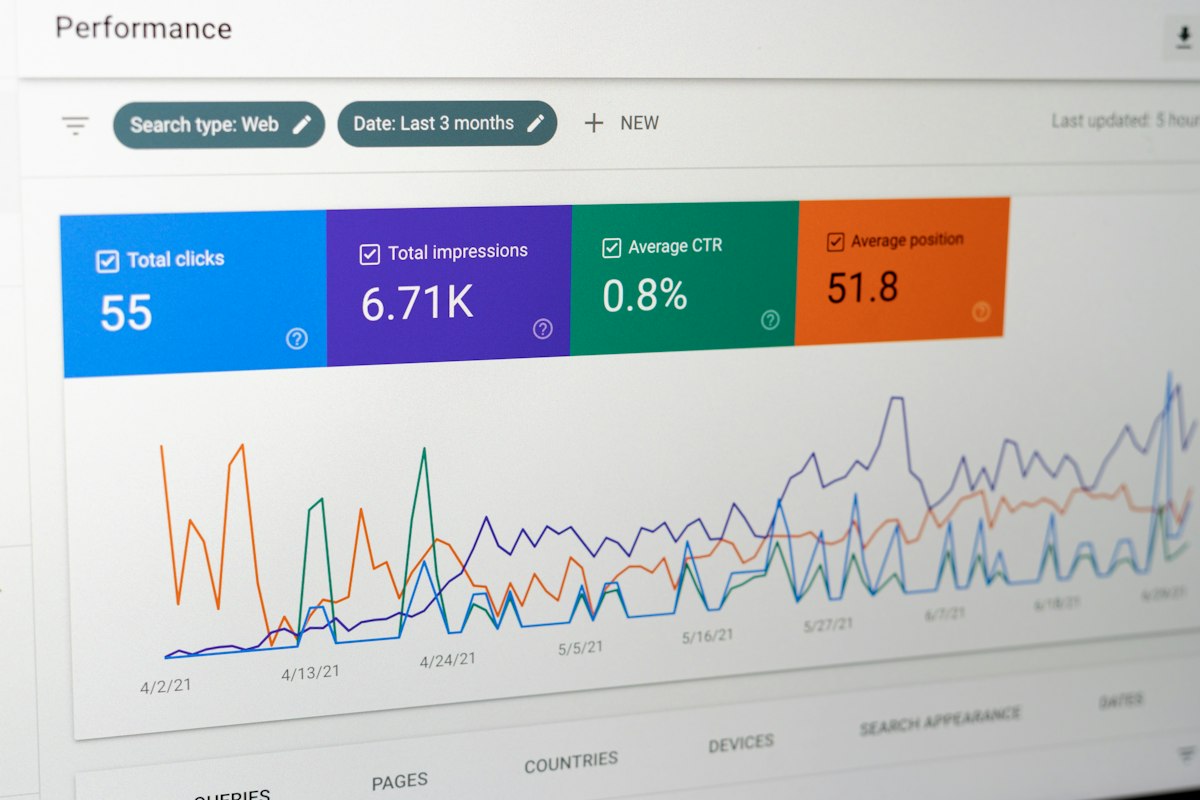
Google Search Console shows you exactly which search queries are bringing visitors to each page on your site. If you find that the top queries for a high-bounce page are semantically different from what the page is about, you have identified a traffic-to-page mismatch that a redesign will not fix. This takes about 15 minutes in Search Console under Performance > Pages > click any page > filter by Queries. Share this data with any agency you are evaluating. An agency that does not ask for it in the first conversation is not running a diagnostic process.
What Good Looks Like: Measurable Engagement Benchmarks for Small Business Websites
Bounce rate and session duration targets vary significantly by industry, traffic source, and page type. An agency that tells you a 60 percent bounce rate is universally bad or that a two-minute average session is universally good is applying generic benchmarks without the context those benchmarks require. The figures below are industry-calibrated reference points for small business and professional services websites, not absolute targets.
For a professional services homepage receiving primarily organic search traffic, a bounce rate between 40 and 60 percent is typical. A bounce rate above 70 percent on organic search traffic to a homepage warrants investigation. For individual blog posts or resource pages, a bounce rate of 65 to 90 percent is normal because visitors arrive, read, and leave without navigating further. Applying homepage benchmarks to blog pages or vice versa produces a false diagnosis.
Average session duration above 2 minutes is a general indicator of meaningful engagement for a service business website, though this figure is more useful as a directional benchmark than an absolute target. The more reliable indicator is the ratio of engaged sessions: visitors who interact with the page, scroll to a meaningful depth, or navigate to a second page, to total sessions. Google Analytics 4 reports this directly as “Engagement Rate,” which is a more useful metric for diagnosing visitor behavior than the legacy bounce rate metric alone.
The Redesign Mistakes That Keep Bounce Rate High Even After a Full Rebuild
Rebuilding the design without addressing the copy. A new visual design on a homepage that still opens with a vague tagline rather than a direct statement of who you serve and what you do will bounce at the same rate as the old site within weeks of launch. Design creates a first impression of credibility. Copy determines whether that impression converts to engagement. An agency that produces a beautiful new homepage with placeholder-quality copy has produced an aesthetic improvement, not a conversion improvement. The two must be developed together, with copy strategy preceding visual design, not following it.
Fixing desktop performance while ignoring mobile. A redesign scoped around desktop experience improvements that does not materially change mobile load speed, mobile layout, or mobile navigation will see modest improvement in desktop engagement metrics and no improvement in the aggregate numbers because mobile traffic drives the majority of the data. Every redesign addressing high bounce rate must be scoped and tested mobile-first, with performance targets defined for mobile LCP and layout stability before the desktop design is finalized.
Redesigning without changing the calls to action. Visitors who engage with a page and then have no specific, low-friction action to take will leave even if the page is well-designed and well-written. The conversion path connects the page to the next step the visitor should take, and if that path is missing, unclear, or asks for too much commitment before the visitor is ready, engagement ends at the page level regardless of how long they spent reading. Creasions treats conversion path architecture as a prerequisite to design work, mapping the intended visitor journey before a single page layout is sketched.
Why “Better Design” Alone Will Not Fix a High Bounce Rate
A redesign that improves visual quality without addressing the specific root cause of your bounce rate problem will produce a brief improvement followed by a return to previous performance levels. This is measurable: many small business sites see a 10 to 15 point bounce rate reduction in the first 30 days after a redesign simply from the novelty effect of new content and a faster server cache. By day 90, the number typically reverts to its prior range unless the underlying structural cause has been resolved. The three structural causes that design improvements cannot fix on their own are traffic source mismatch, above-the-fold message failure, and missing or inadequate conversion paths. All three require copy and strategy interventions alongside or before design work.
Questions to Ask an Agency Before Hiring Them to Fix Your Bounce Rate Problem
The following questions are not designed to test technical knowledge. They are designed to reveal whether an agency’s process is structured around diagnosing your specific problem or around delivering a standard redesign scope that may or may not address it.
What data will you need from us before you propose a redesign scope? The answer should include, at minimum, Google Analytics access to review traffic source segmentation, bounce rate by page and device, and top exit pages. An agency that can propose a redesign scope without reviewing your data is not running a diagnostic process.
How do you distinguish between a traffic problem and a design problem when bounce rate is high? The answer should describe segmenting bounce rate by traffic source and comparing paid versus organic versus direct, then comparing those rates against industry benchmarks for each source type. An agency that attributes all high bounce rate to “poor design” without distinguishing between traffic and design causes does not have a diagnostic process.
Will the redesign scope change based on what the diagnostic reveals, or is the scope fixed from the proposal? A genuinely diagnostic-first agency builds a flexible scope where the redesign priorities are determined by the evidence. An agency with a fixed scope is proposing a solution before completing the diagnosis.
How do you measure whether the redesign actually reduced bounce rate, and when do you measure it? The answer should describe a pre-launch baseline measurement, a 30-day post-launch review to separate novelty effect from structural improvement, and a 90-day review to confirm that engagement improvement is sustained. An agency that does not define these measurement points in the project scope is not accountable to the outcome the redesign was meant to produce.
What is your process for addressing mobile performance specifically, and what LCP target do you build to? A capable agency names a specific target, typically under 2.5 seconds for LCP on mobile, and describes how they enforce it in development through image optimization, code minification, and hosting configuration. An agency that describes mobile experience as “making the site responsive” without discussing performance targets is treating mobile as a layout exercise rather than a performance problem.
Frequently Asked Questions
What is a good bounce rate for a small business website?
Bounce rate benchmarks vary by page type and traffic source. For a professional services homepage receiving organic search traffic, a bounce rate between 40 and 60 percent is typical. A bounce rate above 70 percent from organic or paid traffic to a homepage warrants investigation. Blog posts and resource pages routinely bounce at 65 to 90 percent, which is normal because visitors read and leave without navigating further. Always segment your bounce rate by page type and traffic source before drawing conclusions from the aggregate number.
Can slow page speed cause a high bounce rate even if my website looks fine?
Yes, and it is one of the most common causes. Google research published with SOASTA found that 53 percent of mobile users abandon a site that takes longer than three seconds to load. A site that looks professional on a fast desktop connection can be loading in five to eight seconds on a mobile device with average signal strength, which is sufficient to drive a significant portion of your mobile visitors to leave before the page finishes rendering. Check your mobile LCP score in Google PageSpeed Insights before attributing high bounce rate to any other cause.
How do I know if my high bounce rate is a traffic problem or a website problem?
Segment your bounce rate in Google Analytics by traffic source. If bounce rate is significantly higher from paid search or social media than from organic search or direct traffic, the problem is likely audience mismatch in those channels: the people your ads are reaching are not the people your site is designed for. If bounce rate is uniformly high across all sources, the problem is more likely on the site itself, in the form of slow load speed, unclear messaging above the fold, or a broken mobile experience.
What does low time-on-site actually mean, and should I be worried about it?
Low average session duration means visitors are leaving quickly, but the cause determines whether that is a problem and what kind. If visitors are leaving within 10 seconds, they likely did not find what the page implied it would contain, which is a message-to-market mismatch. If they are spending 45 to 60 seconds and leaving, they may have found the answer they needed and left satisfied, which is not a problem for informational content. Low time-on-site matters most when it occurs on pages you need visitors to convert from, like service pages, pricing pages, or contact pages.
Will a website redesign fix my bounce rate?
A redesign will fix your bounce rate only if the redesign addresses the specific root cause driving it. If the root cause is slow mobile load speed, a redesign that does not materially improve performance will not reduce bounce rate. If the root cause is traffic mismatch from paid ads, no redesign will fix it. If the root cause is unclear messaging above the fold or a broken mobile layout, a redesign that addresses those specific problems will produce measurable improvement. The diagnostic work required before the redesign begins is what determines whether the investment produces the outcome you need.
How long does it take to see bounce rate improvement after a website redesign?
Structural improvements to load speed produce measurable bounce rate changes within days of deployment because the mechanical barrier to engagement is removed. Copy and messaging improvements take longer to show in the data because they depend on sufficient new traffic to establish a statistically meaningful comparison against the pre-launch baseline, typically 30 to 60 days. A responsible agency establishes a pre-launch baseline measurement and reviews performance at 30, 60, and 90 days post-launch to separate short-term novelty effects from sustained structural improvement.
What tools does an agency use to diagnose why visitors are bouncing?
A thorough bounce rate diagnosis uses Google Analytics 4 for traffic source segmentation and engagement rate data, Google Search Console for keyword-to-page intent matching, Google PageSpeed Insights or Lighthouse for Core Web Vitals and load performance data, and a behavioral analytics tool like Hotjar or Microsoft Clarity for heatmaps, scroll depth analysis, and session recordings. The combination of quantitative analytics and qualitative behavioral data is what allows an agency to distinguish between the five root causes of high bounce rate rather than defaulting to “the design needs updating” as a universal explanation.
Should I fix my bounce rate before investing in more traffic from ads or SEO?
Yes, with one important qualification. If your bounce rate problem is caused by traffic source mismatch, improving traffic targeting is the fix, not reducing ad spend to wait for a redesign. But if your bounce rate is driven by site-level problems such as slow mobile load speed, weak above-the-fold messaging, or missing conversion paths, investing in more traffic before fixing those problems multiplies the number of visitors who leave without converting rather than increasing the number who do. Diagnose the root cause first, then determine whether the fix is a traffic correction, a site correction, or both.
Recents
Do I Really Need a Website, or Is Social Media Enough?